 AI Avatars
AI avatars are digitally generated representations of individuals, created using AI
Related: AI Audio Generators | AI Image Generators | AI Music Generators | AI Video Generators
Unlike traditional avatars, which may be static images or simple graphics, AI avatars can exhibit lifelike facial expressions, animations, and even generate video content. AI avatars represent a step forward in digital representation technology, offering versatile applications in many areas. As these technologies evolve, they promise to enhance user experiences by providing more personalized and interactive interactions in digital environments. Whether for business applications or personal use, AI avatars are becoming an integral part of how we engage online.
What Are AI Avatars?
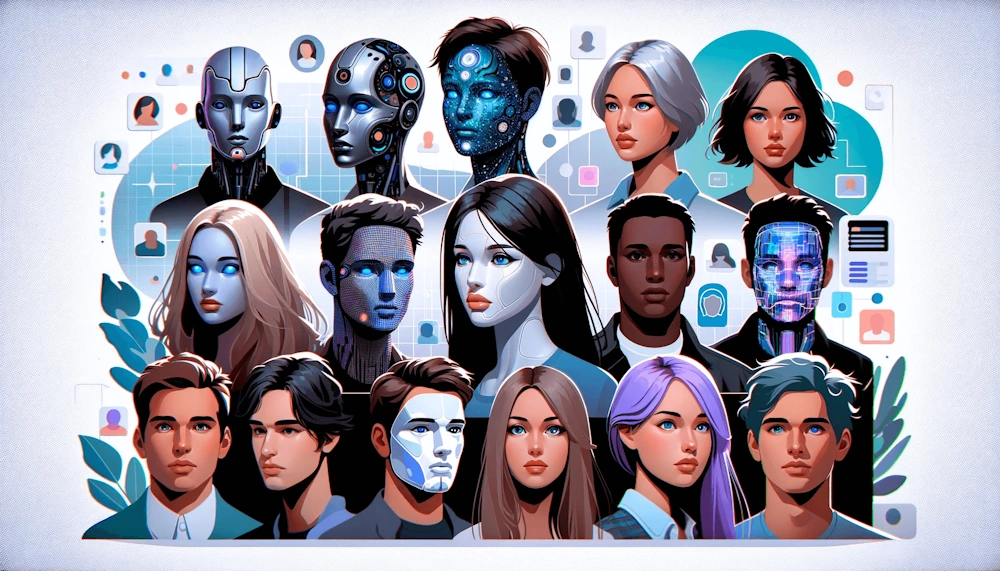
AI avatars are digital characters powered by artificial intelligence that can interact, speak, and respond much like a human would. Think of them as virtual personas - sometimes realistic, sometimes stylized - that can hold conversations, deliver information, or represent a person or brand in a digital space.
They combine several technologies, including natural language processing, speech synthesis, computer vision, and animation, to create the illusion of a living, responsive entity. This makes them suitable for a variety of applications, including customer service, virtual meetings, and entertainment.
These avatars can take many forms. Some look like animated characters, while others are photorealistic and resemble real people. They can be controlled in real time - like a presenter or assistant - or operate autonomously, responding to user input through text or voice. Because they can be customized in appearance, voice, and personality, AI avatars are used in customer service, education, entertainment, marketing, and even personal productivity tools.
What makes AI avatars compelling is their ability to create a sense of presence. Instead of interacting with plain text or a static interface, users engage with a face, a voice, and expressions that feel more natural. As the technology improves, AI avatars are becoming more lifelike, more expressive, and more capable of adapting to different contexts, making them an increasingly common part of digital communication and virtual experiences.
 How Do AI Avatars Work?
AI avatars work by combining several layers of technology that allow them to perceive input, generate responses, and present those responses through a visual or animated character. At the core is a language model - software trained on vast amounts of text - that interprets what a user says or types. This model analyzes the input, determines intent, and produces a coherent, context‑aware reply. That reply can then be converted into speech using text‑to‑speech systems, giving the avatar a voice that can sound natural, expressive, or stylized depending on the design.
On top of the language engine sits the visual layer. This is where animation, motion capture, or generative graphics come in. Some avatars use pre‑built animations that sync mouth shapes and facial expressions to the spoken audio. More advanced systems use real‑time facial tracking or AI‑driven animation to generate expressions, gestures, and lip‑sync dynamically. This creates the illusion that the avatar is "alive" and reacting in real time, even though the underlying behavior is algorithmic.
Finally, many AI avatars incorporate personalization and memory features. They can adapt their tone, vocabulary, or behavior based on past interactions, making conversations feel more natural and tailored. Some systems even allow users to customize the avatar's appearance, voice, and personality traits. When all these components - language understanding, speech synthesis, and visual animation - work together, the result is a digital character capable of engaging, human‑like interaction across websites, apps, games, and virtual environments.
- Image Generation: Users typically upload a close-up photo or selfie. The AI analyzes the image and generates an avatar that captures the user's facial features and expressions.
- Customization: Many platforms allow users to customize their avatars by adjusting facial features, hairstyles, clothing, and other attributes to better reflect their personality or brand.
- Animation and Interaction: AI avatars can perform lifelike animations, showcasing a range of emotions such as smiling or frowning. Some advanced systems also incorporate text-to-speech capabilities for realistic voice generation.
 Key Products
Synthesia
Known for its AI video capabilities, Synthesia offers over 140 stock avatars and
allows users to create personalized digital twins.
Features: Text-to-speech synchronization, diverse avatar animations, and
customizable options for branding.
Lensa
A mobile app that provides high-quality photo editing along with an AI avatar
maker.
Features: Unique avatar styles and real-time photo editing.
Fotor
An online platform that combines photo editing with AI avatar creation.
Features: Advanced editing tools and a vast style library for creating lifelike
avatars.
Speechify
Offers an avatar generator that creates videos without needing actors or
equipment.
Features: Seamless integration with other Speechify products for content
creation.
HeyGen
Offers advanced features for creating realistic AI clones. Provides a
step-by-step guide on using their platform.
Picsart
Allows users to transform photos into stylized avatars with over 20 different
styles available.
How to Create Your AI Avatar
Creating an AI avatar can be a fun and engaging process. It is a straightforward process that can be accomplished in just a few steps using various online tools and mobile apps. By uploading a photo and customizing it according to your preferences, you can generate a unique digital representation of yourself or any character you envision. Whether for personal branding, social media, or creative projects, AI avatars offer endless possibilities for self-expression in the digital world.
Step 1: Choose an AI Avatar Generator
Select an AI avatar generator that fits your needs. Some popular options include:
- HeyGen: Known for its ability to create realistic AI clones.
- Picsart: Offers a variety of styles for transforming photos into avatars.
- Lensa: A mobile app that specializes in high-quality photo editing and avatar creation.
Step 2: Sign Up or Log In
Account Creation: Most platforms require you to create an account. Visit the
website or download the app of your chosen generator and sign up.
Login: After registration, log in to access the avatar creation features.
Step 3: Upload Your Photo
Select a Clear Image: Choose a clear, high-quality photo of yourself. This
image will serve as the foundation for your avatar.
Upload: Use the platform's upload feature to submit your photo.
Step 4: Customize Your Avatar
Facial Features: Adjust facial features, hairstyles, and expressions based on
the options provided by the platform. Some tools allow you to tweak every aspect
of your avatar.
Choose Styles: Many platforms offer various artistic styles (e.g., cartoon,
realistic, fantasy). Select the style that resonates with you.
Step 5: Generate Your Avatar
Hit Generate: Click the button to create your avatar. The AI will process
your image and apply the chosen styles and customizations.
Preview: Once generated, preview your avatar to see if it meets your
expectations.
Step 6: Make Final Adjustments
Edit Further: If needed, make additional adjustments to refine your avatar's
appearance.
Save Changes: Ensure you save any changes made during customization.
Step 7: Download and Use Your Avatar
Export Options: Download your finished avatar in the desired format (e.g.,
PNG, GIF).
Integration: Use your new avatar across social media profiles, gaming accounts,
or as a digital representation in various applications.
 Applications of AI Avatars
Customer Service: AI avatars can function as virtual assistants, providing
24/7 support to customers by answering queries and guiding them through
processes.
Education and Training: They can be used in e-learning environments to deliver
engaging content and simulate real-life scenarios for training purposes.
Entertainment and Gaming: AI avatars enhance user experiences in gaming by
providing interactive characters that respond to player actions.
Virtual Meetings: In professional settings, AI avatars can represent individuals
in meetings, offering a way to maintain privacy while still engaging in
discussions.
 Benefits of Using AI Avatars
Interactivity: Unlike static images, AI avatars engage users in dynamic
conversations, making interactions feel more personal and relatable.
Privacy Protection: Users can maintain anonymity by using avatars instead of
their real images in online interactions.
Customization: The ability to tailor avatars to reflect individual personalities
or brand identities enhances user engagement.
 Challenges and Considerations
Ethical Concerns: The use of AI avatars raises questions about authenticity
and the potential for misuse in misleading representations.
Technological Limitations: While advancements are significant, some avatars may
still lack the nuance of human interaction.
 Links
Links
powtoon.com/blog/what-is-ai-avatar/
rickscloud.ai/ai-avatars-digital-twins-next-big-thing-business/
snapbar.com/blog/creating-an-ai-avatar-generator-guide
creatify.ai/features/ai-avatar
fotor.com/features/ai-avatar-generator/
synthesia.io/post/how-to-make-an-avatar
 Videos