 AI Audio Generators
AI audio generators are software tools that use machine learning to create or transform audio, including speech, music, and sound effects, from inputs like text, prompts, or parameters.
AI audio generators are revolutionizing content creation by providing tools that produce high-quality voiceovers quickly and efficiently. With features such as multilingual support, real-time voice cloning, and extensive customization options, these tools cater to a wide range of applications in marketing, education, entertainment, and more. Whether you're a content creator or a business looking to enhance your communication strategies, these AI-powered solutions offer valuable resources to elevate your audio production capabilities.
AI audio generators let you create voices, sound effects, music, and full audio tracks from text prompts. These platforms support voiceovers, sound design, music creation, and even voice cloning, according to recent listings and product descriptions.
What They Are & How They Work
AI audio generators use machine‑learning models to turn text descriptions into sound. Depending on the tool, you can generate:
- Realistic human voices (narration, characters, audiobooks)
- Sound effects (environmental sounds, footsteps, weather, machinery)
- Music (beats, instrumentals, background tracks)
- Dialogue between multiple AI voices
- Voice clones for consistent narration
These tools are widely used in content creation, education, podcasting, game design, and accessibility.
 Key Products
Best for Realistic Voices. ElevenLabs is described as "the most realistic
voice AI platform" with voiceovers, audiobooks, and agents.
What it does:
Ultra-realistic text-to-speech, voice cloning, dubbing, and multi-speaker
dialogue.
Why
it stands out: Industry-leading voice quality and low-latency generation.
Murf AI offers a versatile text-to-speech service with over 120
realistic voices in 20+ languages. It allows users to create professional
voiceovers quickly and easily.
Features: Advanced voice synthesis that captures nuances of human speech.
Customization options for pitch, speed, pauses, and background music. Ideal for
content creators looking to enhance their projects with lifelike audio.
Use Cases: Suitable for videos, presentations, and any content requiring
high-quality voiceovers.
Canva provides an AI voice generator that allows users to convert text
into speech for various applications like ads, podcasts, and promotional videos.
Features: Access to over 120 AI voices in multiple languages. Customization
options for speed, pitch, emotion, and tonality. Seamless integration with
Canva's design tools for cohesive multimedia projects.
Use Cases: Great for enhancing visual content with engaging audio.
LOVO is an award-winning AI voice generator featuring over 500 voices
in 100 languages. It provides tools for creating engaging videos with realistic
voiceovers.
Features: Real-time voice cloning capabilities. An online video editor
integrated with the voice generation tool. Customizable voices that can be
tailored to specific branding needs. Use Cases: Perfect for marketing, training
videos, social media content, and more.
Narakeet offers an online AI voice generator with 700 realistic voices
in 100 languages. It is user-friendly and requires no registration for basic
use.
Features: Batch processing capabilities for creating multiple audio files
simultaneously. Supports various formats and customization options for voice
speed and volume.
Use Cases: Ideal for e-learning content, IVR systems, and multilingual projects.
Resemble AI provides a platform for creating hyper-realistic AI voices
through text-to-speech and speech-to-speech technologies.
Features: Rapid voice cloning with minimal input data (just 10 seconds of
audio). Multilingual support across over 149 languages. Options for self-hosting
to maintain control over data security.
Use Cases: Suitable for podcasts, audiobooks, video games, and personalized
applications.
Speechify is a free AI voice generator that offers over 200 lifelike
voices across more than 60 languages. It includes features like emotional
control and voice cloning.
Features: Pronunciation library to enhance speech accuracy. One-click export
functionality to save audio files easily.
Use Cases: Useful for audiobooks, educational content, dubbing videos, and
website accessibility.
 How to Use an AI Audio Generator
Creating audio using AI voice generators can be a straightforward process. Here's a step-by-step guide on how to use these tools effectively.
Using an AI audio generator can greatly enhance your content creation process by providing high-quality voiceovers quickly and easily. By following these steps, you can effectively generate engaging audio for videos, presentations, podcasts, and more while leveraging the powerful capabilities of modern AI technologies.
Step 1: Choose Your AI Voice Generator
Select an AI voice generator that fits your needs. Some popular options include:
- Murf AI: Known for its realistic voices and customization features.
- PlayHT: Offers a variety of synthetic voices and voice cloning capabilities.
- Eleven Labs: Specializes in voice cloning and high-quality audio generation.
Step 2: Sign Up or Log In
Create an account on the chosen platform. Most services offer free trials or limited free versions that allow you to test their features.
Step 3: Prepare Your Script
Write or gather the text you want the AI to convert into speech. For your first attempt, keep it concise (around 100-200 words) to ensure clarity and ease of testing.
Step 4: Import or Paste Your Text
Open the AI voice generator and find the text input field. Paste your script into this area. Ensure that it is formatted correctly, with proper punctuation to guide the pacing of the speech.
Step 5: Select Your Voice
Browse through the available voices. Many platforms offer options in different languages, genders, and accents. Choose a voice that matches the tone you want for your project (e.g., professional, friendly, dramatic).
Step 6: Adjust Settings (If Available)
Depending on the tool, you may have options to adjust pitch, speed, tone, and pauses. Use these features to personalize the audio output. For example, Murf AI allows you to modify aspects like emphasis on specific words and overall speaking style.
Step 7: Preview Your Voiceover
Most platforms allow you to listen to a preview of your generated audio before finalizing it. Play the audio to check if it meets your expectations. If necessary, make adjustments to the voice selection or settings.
Step 8: Generate and Download
Once satisfied with your settings and preview, click the "Generate" or "Create" button to produce the final voiceover. This process typically takes only a few seconds. After generation, download the audio file in your preferred format (e.g., MP3, WAV).
Step 9: Review and Refine
Listen to the final audio file and note any areas for improvement, such as pacing or pronunciation. If needed, make small tweaks in the text or settings and regenerate the voiceover.
Additional Tips
- Experiment with Different Voices: Try out various voices and settings to find what works best for your project.
- Use Voice Cloning Features: If available, consider using voice cloning capabilities to create a personalized voice based on your own recordings.
- Explore Advanced Features: As you become more familiar with the tool, explore advanced features like emotional tone adjustments or background music integration.
 AI Audio Gone Wrong
The Night My AI Audio Generator Ruined My Life (and My Karaoke Career)
It was a Friday night in early 2026, and I decided to impress my friends at a virtual karaoke party with the hottest new AI audio toy: VoiceVortex: the app that promised "perfect vocal cloning and song generation in seconds." All I had to do was upload 30 seconds of my voice, pick a song, and let the magic happen. My plan:
Clone my voice
Generate me singing "Bohemian Rhapsody"
Drop the
jaws of my Zoom group
Become the undisputed karaoke king
What could go wrong?
Step 1: Voice Cloning
I recorded myself saying:
"Hello, this is Alex, your future karaoke legend."
VoiceVortex processed for 12 seconds.
It came back with a voice that sounded exactly like me. If, that is, I had
been raised by a pack of malfunctioning Roomba vacuums.
Step 2: Song Generation
I typed the prompt: "Sing
Bohemian Rhapsody in my cloned voice, full emotion, opera section included,
4K audio quality."
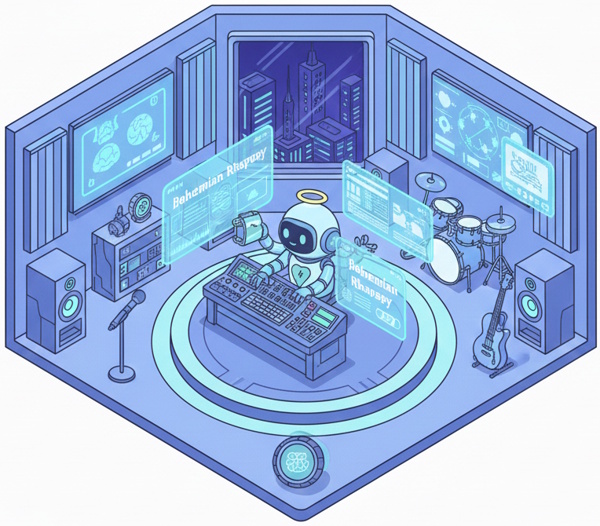
The app thought for 45 seconds...longer than usual. Then it started playing. The opening piano was perfect. Then my voice kicked in:
"Is this the real life?
Is this just fantasy?
Caught in a
landslide...
No escape from reality..."
So far, so good.
Then the head-banging section:
"Thunderbolt and lightning!
Very very frightening me!"
Except...it wasn't "frightening me." It was "frightening knees."
The AI had misheard "frightening me" as "frightening knees" and leaned in hard. So now I was passionately screaming about how scary my knees were. But it got worse.
The opera section: Instead of "Scaramouche, Scaramouche,
will you do the Fandango?"
It decided: "Scare-a-moose, Scare-a-moose,
will you do the fan-dance, ooh?"
And the best part?
It gave the "Scare-a-moose" part a thick Scottish
accent. Like a bagpipe-playing moose with anxiety.
By the time we hit "Beelzebub has a devil put aside for meeeeee," my voice had morphed into what can only be described as "a dying walrus trying to yodel."
My friends on Zoom were silent for a full 10 seconds. Then the chat exploded:
"Bro your knees okay?"
"Why is Freddie Mercury Scottish now?"
"I'm
crying, but not in a good way"
"Send help, my ears are filing for
divorce"
I tried to salvage it: "Guys, it's avant-garde! It's interpretive!"
Someone replied: "Interpretive of what? A nervous breakdown?"
I rage-quit the call, uninstalled VoiceVortex, and swore off AI forever.
Two days later, the clip leaked on TikTok. It got 4.2 million views. My new nickname at work: Scare-a-moose.
Moral of the story: Never trust an AI to sing your favorite song. It will not just ruin the song. It will ruin your knees' reputation, your dignity, and your group chat forever.
The End. Or as the AI probably captioned it: "Emotional ballad about frightened patellas."
 Links
Links
Humorous Guides to Surviving AI (3 book series) from AI World and Amazon Books includes AI is Just an App, Our House has a Brain, and AI is Coming for Your Job. LOL stories and teachings about artifiical intelligence. Paperback and Kindle versions.
AI Avatars page.
AI Image Generators page.
AI Music Generators page.
AI Video Generators page.
External links open in a new tab:
- ingostudio.com/ai-tools-and-reviews/ai-audio-and-voice-tools-for-storytelling/ai-voice-generators-for-beginners/
- listening.com/blog/ai-voice-generator/
- synthesia.io/features/ai-voice-generator
- elegantthemes.com/blog/business/how-to-make-an-ai-voice
- elevenlabs.io/blog/what-is-an-ai-sound-generator
- teravexa.com/blog/ai-voice-generators
- murf.ai/text-to-speech
- typecast.ai/text-to-speech
- musiccreator.ai
- soundraw.io
- naturalreaders.com/online/
- audiocipher.com/post/ai-voice-generators
- digitalocean.com/resources/articles/ai-music-generators
- mubert.com
 Videos
youtube.com/watch?v=ddqosIpR2Mk AI Voice Cloning Tutorial
youtube.com/watch?v=ylLwqY1_e_k AI Voice Tutorial
youtube.com/watch?v=EQ3IYVbyVmc Murf AI Tutorial
youtube.com/watch?v=lIDxTzABK94 Best AI Voice Generators review